





-
 14-Day returns


Frequently Bought Together

Windows 10 Professional CD Key (Digital Download)
Microsoft Office 2016 Professional Plus Key Genuine Activation License Key – Instant delivery
Corel WinDVD Pro 12 – Blu-ray & DVD software for Windows

Topazlabs – Topaz Video Enhance AI – Improve video upscaling, denoising, deinterlacing, and restoration – Windows
Motion – Simply special effects – Create cinematic 2D, 3D, and 360° titles, Fluid transitions
Lifetime Activation – Instant Download – For MAC

You will receive a link to download the Software activated and ready to use.
No Extra fees in the future.
90 Days Money back guarantee.

Motion is the powerful motion graphics tool that makes it easy to create cinematic 2D, 3D, and 360° titles, fluid transitions, and realistic effects in real time. And with its all-new Metal engine, Motion lets you build and play back effects at incredible speeds.

Your graphics in Motion.
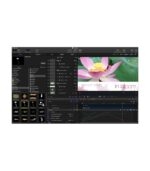
Designed with editors in mind, Motion features a streamlined interface that lets you easily create titles, transitions, and effects for Final Cut Pro
HDR
Design motion graphics in stunning High Dynamic Range with Motion. View HDR images on any recent Mac that displays an extended range of brightness. Or heighten your experience with the new Pro Display XDR, which connects with a single Thunderbolt cable to reveal the stunning beauty of your HDR effects.

Advanced color grading
Adjust hue, saturation, and brightness with the same advanced color wheels available in Final Cut Pro. Use color curves and hue/saturation curves in combination with the eye dropper to target and alter specific color ranges. Add precise keyframes to adjust color corrections over time. And even apply custom Look Up Tables (LUTs) from dedicated color grading apps like DaVinci Resolve and popular websites like PremiumBeat..
Reviews
Clear filtersThere are no reviews yet.